
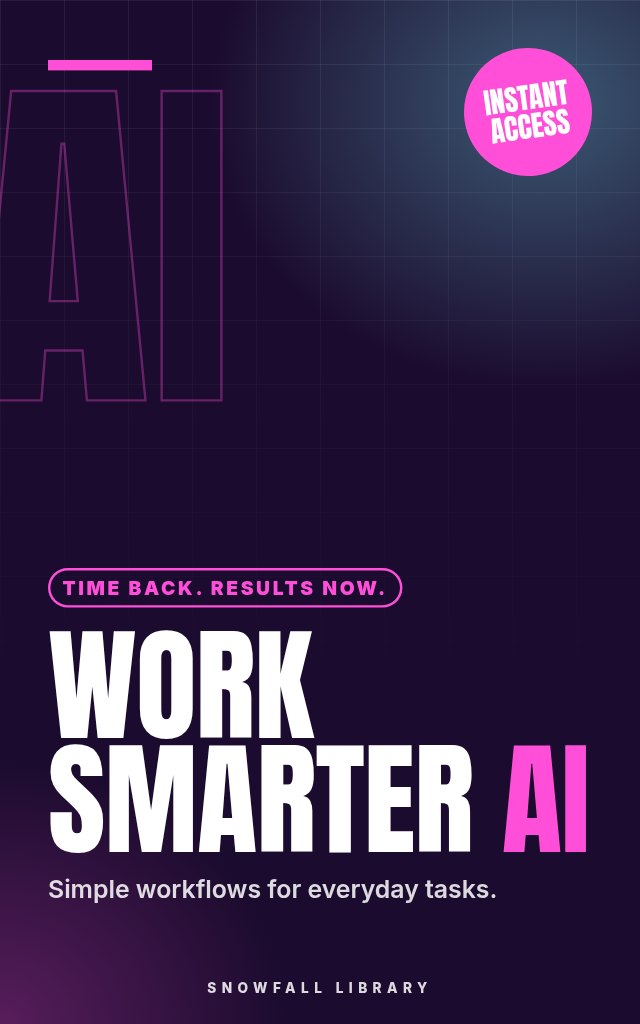
AI at Work: Recipes for Effortless Productivity
Reclaim your day with practical AI workflows for professionals
About this guide
- Professionals overwhelmed by daily demands.
- Managers seeking to optimize team efficiency.
- Knowledge workers wanting to reduce busywork.
- Anyone using Microsoft Office or Google Workspace.
- The ability to quickly draft professional emails with AI assistance.
Product details
| Publisher | Snowfall Library (founded by Max) |
|---|---|
| Format | PDF Guide |
| Length | 20+ pages |
| Language | English |
| Delivery | Instant download after payment |
| Reads on | Phone, tablet, Kindle app or computer |
| Category | Productivity & Technology |
Better together
Add these to your order and save 35% on each one.
Book description
Is your to-do list growing faster than you can check things off? You’re likely spending too much time on repetitive tasks that could be handled by AI.
Who it's for
- Professionals overwhelmed by daily demands.
- Managers seeking to optimize team efficiency.
- Knowledge workers wanting to reduce busywork.
- Anyone using Microsoft Office or Google Workspace.
What you’ll walk away with
- The ability to quickly draft professional emails with AI assistance.
- Clear, insightful data reports generated automatically.
- A streamlined project workflow, prioritizing tasks with ease.
- Faster research, finding key information in minutes.
- Confidence in using AI to take control of your workload.
What's inside
- Getting Started with AI for Work
- Mastering Communication with AI
- Data Analysis & Reporting, AI as Your Analyst
- Content Creation, AI as Your Writing Partner
- Project Management & Organization, AI as Your Assistant
- Research & Information Gathering, AI as Your Research Assistant
Look inside
Getting Started with AI for Work
Understanding AI Basics: What You Need to Know
Let’s be honest: you’re busy. Your to-do list probably stretches longer than your workday, and you’re constantly trying to keep up. You’ve heard about AI, and maybe you’re hoping it can help, but it feels…complicated. This section breaks down what AI actually is, what it can do for you right now, and what’s still further down the line. We’ll focus on practical applications for your daily work.
What Is AI, Really?
Artificial Intelligence, at its core, is about enabling computers to perform tasks that usually require human intelligence. This includes learning, problem-solving, and making decisions. It’s not about robots taking over the world, at least, not yet. Think of it as a set of tools designed to handle tasks, some simple and some complex.
The key is these tools learn from data. The more data they process, the better they become at their assigned task. This learning process allows them to automate things that previously needed a person to do manually. This means less time on repetitive work, and more time for what matters.
Types of AI You'll Encounter
Not all AI is created equal. Here are the main types you'll run into as a professional:
- Automation Tools: These are the workhorses of practical AI. They excel at repetitive, rule-based tasks. Examples include automatically sorting emails, scheduling appointments, or filling out forms. They don’t “think”, they execute pre-defined instructions, freeing you from tedious work.
- Large Language Models (LLMs): These are the AI behind many recent headlines. LLMs, like those powering chatbots, are trained on massive amounts of text and can generate human-like text, translate languages, write different kinds of content, and answer your questions in an informative way. Think of them as powerful writing and information-processing assistants, capable of handling tasks like drafting emails or summarizing reports.
- Machine Learning (ML): This is a broader category that includes both automation and LLMs. ML algorithms learn from data to make predictions or decisions without being explicitly programmed. For example, ML can be used to predict customer churn or identify fraudulent transactions. It’s the underlying technology that powers many of the tools you’ll use.
Action step: For the next week, pay attention to the tasks you do that feel repetitive or rule-based. Make a list. These are prime candidates for automation, and potential time-savers.
LLMs: A Closer Look
Because Large Language Models are getting so much attention, let’s break them down a bit further. They’re different than traditional software. Instead of telling the computer exactly what to do, you ask it to do something.
Here’s a simple example. Instead of writing a script to extract all the dates from a document (traditional programming), you could ask an LLM: “Extract all dates from the following text: [paste text here].” The LLM, having been trained on a vast amount of text, understands what a date is and can find them for you.
Example: You need to write a quick summary of a 10-page report. Instead of reading it yourself, you could paste the text into an LLM and ask it to “Summarize this report in three bullet points.” This can save you valuable time and effort.
What AI Can Do For You Today
Let’s focus on what’s realistically achievable now with readily available tools. AI can help you with:
- Reducing Email Overload: Automating sorting, prioritizing, and even drafting replies, giving you back control of your inbox.
- Content Creation: Generating ideas, outlines, and even first drafts of documents, helping you overcome writer’s block and produce content faster.
- Data Analysis: Extracting key insights from spreadsheets and reports, allowing you to make data-driven decisions more efficiently.
- Task Management: Automating reminders and to-do lists, keeping you organized and on track.
- Research: Quickly finding and summarizing information online, saving you hours of manual searching.
These aren’t futuristic promises; they ...
Readers also browse

Reclaim Your Time, Reduce Stress, and Get More Done

An Evidence-Based Study System for High-Stakes Exams

Study Smarter

Speak with Confidence