
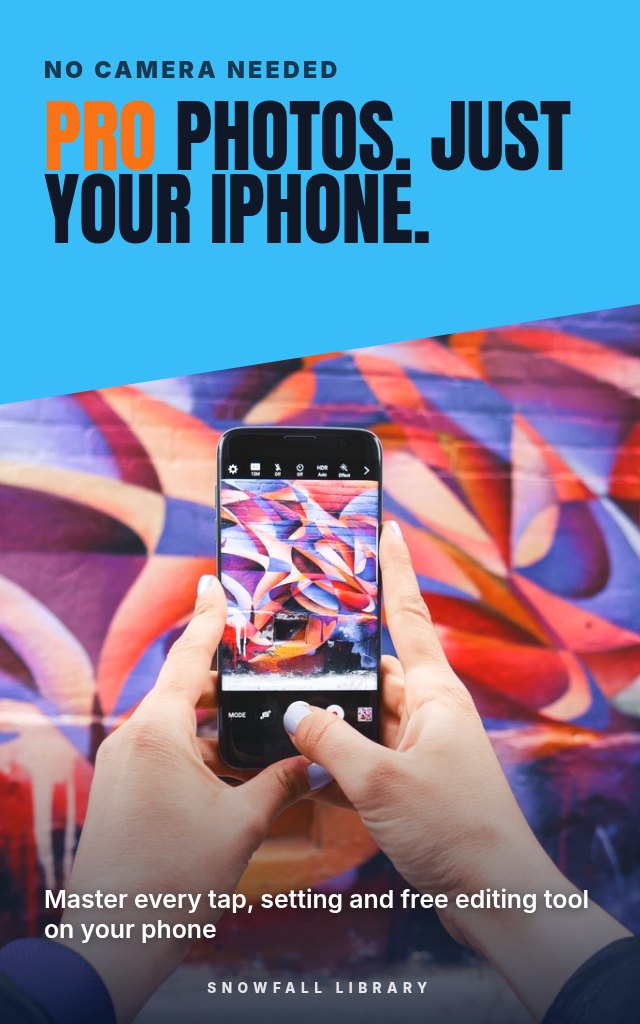
Pro Photos, Just Your iPhone: Better Portraits, Food, Travel and Low Light Shots
The taps, settings and free editing tools that turn flat phone snaps into photos you'll actually want to share.
About this guide
- Parents who want sharp, frame-worthy photos of their kids in motion
- Travelers whose vacation photos never match what they saw
- Small business owners who need good product shots without hiring a photographer
- Instagram users who want a feed that looks intentional
- An understanding of how your iPhone builds a photo, and habits that sharpen every shot
Product details
| Publisher | Snowfall Library (founded by Max) |
|---|---|
| Format | PDF Guide |
| Length | 20+ pages |
| Language | English |
| Delivery | Instant download after payment |
| Reads on | Phone, tablet, Kindle app or computer |
| Category | photography and video |
Better together
Add these to your order and save 35% on each one.
Book description
Golden light, your kid mid-laugh, a plate that looked incredible. Then you checked the photo: dark, flat, a little blurry. Meanwhile someone else posts something stunning from the exact same phone.
The difference isn't the camera. It's knowing what the iPhone does when you press the shutter, how to read light, and which settings and free edits finish the job. This guide shows the exact taps inside the camera app, then gives you scenario playbooks for the photos you actually take: people, kids, food, products, travel and low light. No gear to buy, no theory you'll never use.
Who it's for
- Parents who want sharp, frame-worthy photos of their kids in motion
- Travelers whose vacation photos never match what they saw
- Small business owners who need good product shots without hiring a photographer
- Instagram users who want a feed that looks intentional
What you'll walk away with
- An understanding of how your iPhone builds a photo, and habits that sharpen every shot
- The ability to work with window light, golden hour, harsh midday sun and indoor lamps
- Confidence with Night mode, ProRAW, Photographic Styles, Portrait mode, exposure control and burst
- Ready-to-use settings for portraits, group shots, food, products, landscapes and city scenes
- A mobile editing workflow with free on-phone tools and Lightroom mobile, plus printable cheat sheets
Same phone. Better photos.
What's inside
- PART 1, FOUNDATIONS: How Your iPhone Actually Takes a Photo
- PART 2, LIGHTING MASTERY: The Skill That Separates Snapshots from Photographs
- PART 3, iPHONE SUPERPOWERS: The Features Nobody Taught You
- PART 4, SCENARIO PLAYBOOKS: People and Everyday Life
- PART 5, SCENARIO PLAYBOOKS: Things, Food, and Travel
- PART 6, EDITING ON THE PHONE: Where Good Photos Become Great Ones
- PART 7, YOUR PHOTOGRAPHY SYSTEM: Cheat Sheets, Checklists, and Practice
Look inside
PART 1, FOUNDATIONS: How Your iPhone Actually Takes a Photo
Okay, here’s the first section of “Pocket Pro,” aiming for warm, practical, and immediately useful.
Your Phone is a Tiny Studio
Think about the last photo you took that felt… disappointing. Maybe it was blurry, maybe the colors were off, or maybe it just didn't look like what you saw with your own eyes. You’re not alone. So many people assume their iPhone just isn’t capable of great photos. The truth is, it absolutely is. The problem isn’t the camera so much as understanding how it works and how to make it work for you. We're going to change that, starting right now. This isn't about becoming a professional photographer, it’s about getting consistently good results with the tool you already have.
What's a Megapixel, Anyway?
You’ve probably heard the term “megapixels” thrown around when talking about cameras. It’s easy to assume more megapixels automatically means better photos. That’s not quite true. Megapixels measure the resolution of your photo, how many tiny squares (pixels) make up the image. More megapixels mean a bigger image, which is great if you’re planning to print a giant poster. But for sharing online, or even most prints, a huge number of megapixels isn’t necessary.
Your iPhone already has plenty. Current models typically range from 12 to 48 megapixels. What really matters is how well those pixels capture light and color, and that's where something called “computational photography” comes in.
Computational Photography: The Magic Behind the Scenes
Forget everything you think you know about how a traditional camera works. Your iPhone isn't just passively recording light. It's actively processing it, using a series of incredibly smart algorithms. This is computational photography.
Here’s what it does:
- Multi-Frame Processing: When you press the shutter button, your iPhone doesn’t just take one photo. It rapidly takes multiple images, even before you fully press the button, and then combines them. This creates a sharper, more detailed, and better-exposed final image.
- Smart HDR: This analyzes different parts of the scene and adjusts the exposure for each part, preventing blown-out highlights (too bright) and crushed shadows (too dark).
- Deep Fusion: This technology analyzes the pixels in your photo and optimizes texture, detail, and noise reduction. It’s most noticeable in medium to low light.
- Photonic Engine: (On iPhone 14 and newer) This applies Deep Fusion earlier in the processing pipeline, preserving more data for brighter, more lifelike colors and finer detail.
Essentially, your iPhone is doing a lot of the work for you. But to let it do its best work, you need to understand the tools it offers.
Meet Your Lenses
Your iPhone has multiple lenses, each with a different purpose. Knowing when to use each one is a huge step toward better photos.
- Ultra-Wide (0.5x): This lens captures the widest field of view. Great for landscapes, architecture, and squeezing a lot into the frame. It can distort the edges slightly, so be mindful of straight lines.
- Wide (1x): This is your standard, everyday lens. It's versatile and works well in most situations.
- Telephoto (2x, 3x, or 5x depending on your model): This lens zooms in, bringing distant subjects closer. It's ideal for portraits, wildlife, and isolating details. Zooming digitally beyond the telephoto lens will reduce image quality.
Action step: Open your Camera app and tap between 0.5x, 1x, and 2x (or 3x/5x) to see the difference each lens makes. Walk toward a subject and back while switching lenses to understand how each changes your perspective.
Here’s a quick comparison:
| Lens | Field of View | Best For | Potential Issues |
|---|---|---|---|
| Ultra-Wide | Very Wide | Landscapes, architecture, groups | Distortion |
| Wide | Normal | Everyday photos, portraits | None |
| Telephoto | Narrow | Portraits, distant subjects | Requires good light |
First Steps: Camera Settings
Let's set up your iPhone’s Camera ...
Readers also browse

Check Texts, Emails, Jobs and Stores Before You Pay

Identify, Cancel and Recover Payments You Didn't Expect

Start a Business With No Idea and No Money
A 30-Day Reset for Phone Habits and Focus