
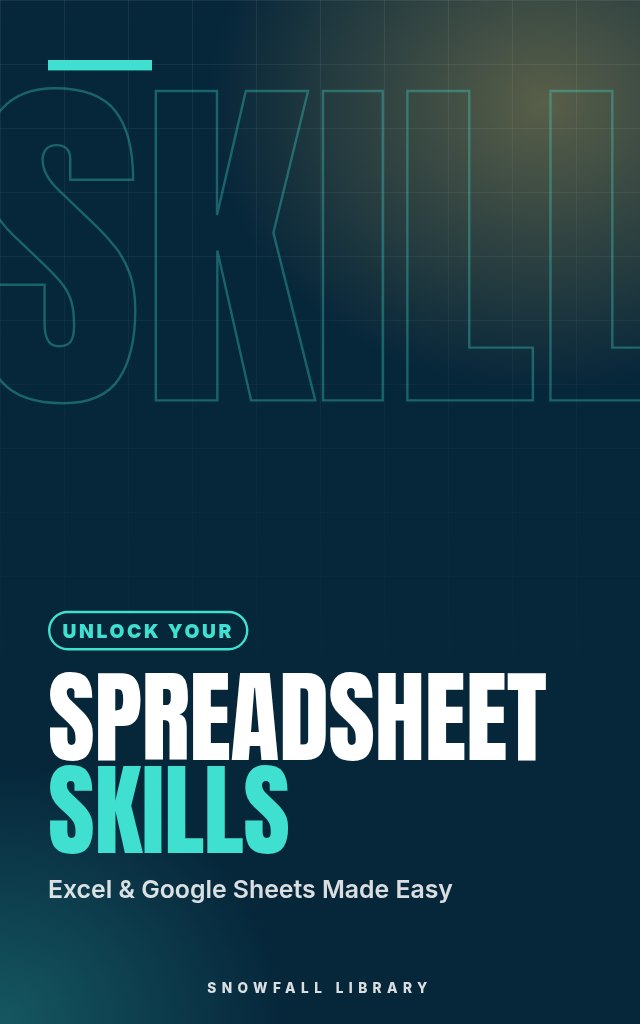
Spreadsheet Skills: Excel and Google Sheets From First Formula to Pivot Table
Get comfortable with formulas, functions, charts and pivot tables, then prove it with three real projects.
About this guide
- Office workers who want to stop dreading spreadsheet tasks
- Job seekers who keep seeing 'Excel skills required'
- Students who need spreadsheet basics fast
- Anyone who uses Excel or Google Sheets but only scratches the surface
- Confidence with formulas and absolute versus relative cell references
Product details
| Publisher | Snowfall Library (founded by Max) |
|---|---|
| Format | PDF Guide |
| Length | 20+ pages |
| Language | English |
| Delivery | Instant download after payment |
| Reads on | Phone, tablet, Kindle app or computer |
| Category | Career Skills |
Better together
Add these to your order and save 35% on each one.
Book description
There it is again in the job listing: 'Excel skills required.' You've opened a spreadsheet before. You also closed it fairly quickly once the formulas started.
Spreadsheet Skills is built around doing rather than theory, with formulas you can type straight into Excel or Google Sheets and chapters that build on each other. You start by getting comfortable with the grid itself, then move to formulas and the difference between absolute and relative cell references, the culprit behind so many broken spreadsheets. Next come the core functions for adding, averaging, counting and making if-then decisions. From there you'll sort, filter and validate data, build tables, and turn numbers into something readable with charts, conditional formatting and pivot tables. A section on shortcuts, printing and sharing makes you quicker and more polished. Then you put it all together in three real projects: a personal budget, a project tracker and a sales report. A quick-reference section of common formulas and functions sits at the end.
Who it's for
- Office workers who want to stop dreading spreadsheet tasks
- Job seekers who keep seeing 'Excel skills required'
- Students who need spreadsheet basics fast
- Anyone who uses Excel or Google Sheets but only scratches the surface
What you'll walk away with
- Confidence with formulas and absolute versus relative cell references
- Practical use of the core functions for totals, averages, counts and conditions
- Clean, sorted, validated data in proper tables
- Charts, conditional formatting and pivot tables that make data easy to read
- A finished budget, project tracker and sales report to show employers
What's inside
- Getting Comfortable with the Spreadsheet
- Formulas and Cell References
- Essential Functions
- Organizing Data: Sorting, Filtering, Tables and Validation
- Seeing Your Data: Charts, Conditional Formatting and Pivot Tables
- Working Like a Pro: Shortcuts, Printing and Sharing
- Real Projects: Budget, Tracker and Report
- Your Toolkit
Look inside
Getting Comfortable with the Spreadsheet
You opened a spreadsheet, saw a wall of tiny gray boxes, a ribbon packed with icons you have never clicked, and a blinking cursor in a cell called A1. Maybe a job posting asks for "proficiency in Excel." Maybe your manager just sent you a file and said "can you update the numbers by Friday?" Maybe a class project needs a chart and you have no idea where charts even live. You are not behind. Almost everyone who uses spreadsheets well today started exactly where you are, staring at the same grid and wondering where to click first. This section gives you a map. By the end of it you will know what every part of the screen is called, how Excel and Google Sheets differ, how to move around without getting lost, and how to save and organize a file so you never lose work. Every later chapter assumes you know this vocabulary, so take your time here. ### Excel or Google Sheets: which one should you learn? Short answer: learn the shared core once and you can work in both. About 90 percent of what you do day to day (typing data, writing formulas, sorting, filtering, charts, pivot tables) works the same way in both programs. The formulas in this guide are written so they work in both unless a note says otherwise. Here is how they compare in practice: | Question | Microsoft Excel | Google Sheets | |---|---|---| | Where does it run? | Desktop app (Windows, Mac), plus Excel for the web and mobile | In a web browser, plus mobile apps | | Cost to you | Paid through Microsoft 365, though Excel for the web is free with a Microsoft account | Free with a Google account | | Where files live | On your computer, or in OneDrive or SharePoint | In Google Drive, always online | | Saving | Manual save, or AutoSave when the file is in OneDrive | Saves automatically after every change | | Collaboration | Strong when the file is in OneDrive, weaker with emailed copies | Built in from day one, very easy | | Power features | Deeper: Power Query, Power Pivot, more chart types, macros | Lighter but growing; great for shared trackers | | What employers mean by "Excel" | Usually the desktop app | Often accepted as equivalent for basic tasks | Use this decision rule: 1. If a job description names Excel, practice in Excel. Excel for the web is free and handles everything in this guide except a few advanced extras. 2. If you work with a team that lives in Google Workspace, practice in Google Sheets. 3. If you are not sure, start with whichever you can open today. The skills transfer. > Pro tip: You do not need to buy anything to follow this guide. Go to office.com and sign in with a free Microsoft account to get Excel for the web, or go to sheets.google.com with a Google account. Both are enough for every exercise in these chapters. ### Workbooks, worksheets and cells: the three words that matter most A spreadsheet file has a structure, and once you see it the screen stops being confusing. - Workbook: the whole file. In Excel it is usually saved as .xlsx. In Google Sheets it is called a spreadsheet and lives in Drive. - Worksheet (or sheet): one page inside the workbook. You see the sheet tabs along the bottom of the screen, named Sheet1, Sheet2 and so on. A workbook can hold many sheets. - Cell: one box in the grid. Every cell has an address made of its column letter and row number. The cell where column C meets row 5 is C5. - Range: a block of cells. You write a range as the top left cell, a colon, and the bottom right cell. A1:D10 means every ...
Readers also browse

Check Texts, Emails, Jobs and Stores Before You Pay

Identify, Cancel and Recover Payments You Didn't Expect
Start a Business With No Idea and No Money
A 30-Day Reset for Phone Habits and Focus