
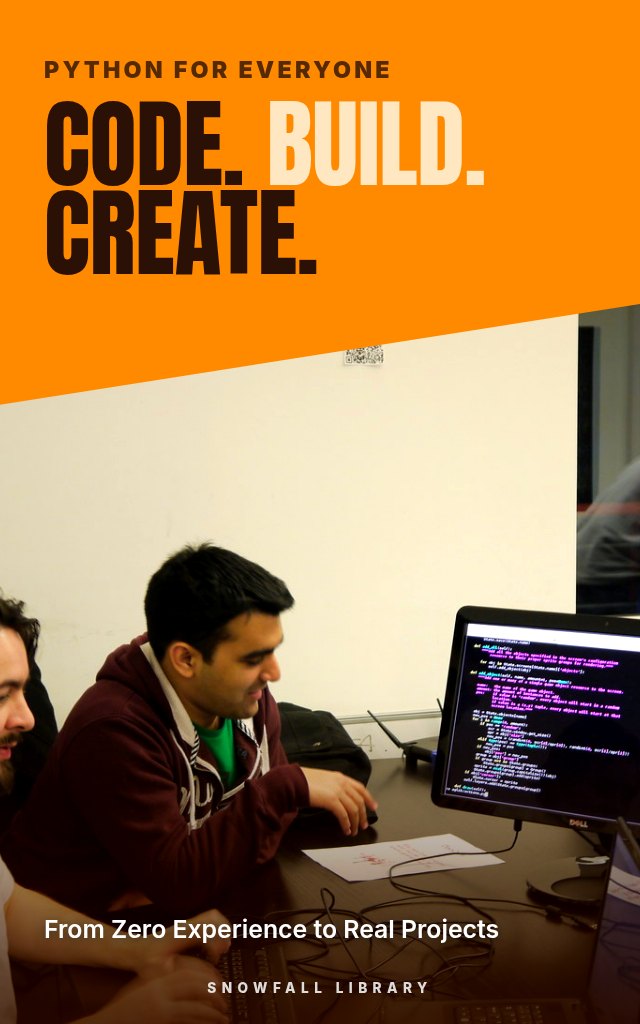
Code, Build, Create: Learn Python From Zero to Four Real Projects
A type-along Python course for total beginners that ends with a calculator, a to-do app and two more working programs.
About this guide
- Complete beginners with zero coding experience
- Career changers curious whether programming is for them
- Students who want a practical start alongside their courses
- Anyone who tried videos or books before and got stuck
- A working Python setup and your first programs written and running
Product details
| Publisher | Snowfall Library (founded by Max) |
|---|---|
| Format | PDF Guide |
| Length | 20+ pages |
| Language | English |
| Delivery | Instant download after payment |
| Reads on | Phone, tablet, Kindle app or computer |
| Category | Programming and Tech Skills |
Better together
Add these to your order and save 35% on each one.
Book description
Coding has beaten you before. Maybe it was a video series, maybe a thick book. You followed along fine until the moment you had to write something on your own, and then the screen just stared back.
Code, Build, Create is a type-along Python course for people with no coding experience, including those who've tried and stalled. It begins with a setup that's easy to get right and has you writing small programs straight away. You'll work through variables, numbers and text, then lists, dictionaries, tuples and sets, then decisions and loops that let programs make choices and repeat work. Functions, modules and packages show you how to write reusable code and use existing libraries. A section on files, errors and debugging treats mistakes as a normal part of programming rather than a sign you're not cut out for it. Everything comes together in four complete projects: a calculator, a to-do app, a safe file organizer and a program that makes live web requests. A reference section and suggested next steps close it out.
Who it's for
- Complete beginners with zero coding experience
- Career changers curious whether programming is for them
- Students who want a practical start alongside their courses
- Anyone who tried videos or books before and got stuck
What you'll walk away with
- A working Python setup and your first programs written and running
- Solid footing with variables, text, lists, dictionaries, tuples and sets
- Conditions, loops, functions and modules you can use in your own code
- The habit of reading errors and debugging calmly
- Four finished projects: a calculator, a to-do app, a file organizer and a web request program
What's inside
- Getting Started: Mindset, Setup and Your First Programs
- Data Basics: Variables, Numbers and Text
- Collections: Lists, Dictionaries, Tuples and Sets
- Decisions and Repetition
- Functions, Modules and Packages
- Files, Errors and Debugging
- Four Real Projects and Your Next Steps
- Your Toolkit
Look inside
Getting Started: Mindset, Setup and Your First Programs
You have probably tried this before. Maybe you watched the first twenty minutes of a video course, typed along, felt fine, and then hit a wall the moment the instructor said "now just open your terminal." Maybe you bought a thick book, read three chapters, and realized you could recite what a variable was but could not build a single thing with one. Or maybe you have never started at all because a voice in your head says programming is for people who were good at math, or who started at twelve, or who think in ones and zeros. That voice is wrong, and this guide is built to prove it to you one small, working program at a time. You do not need a computer science background. You do not need to be good at math. You need a computer, a few hours a week, and a way of learning that matches how beginners actually get stuck. This first section is about that way of learning, because the method matters more than any single fact about Python. ### What programming actually is (in plain words) A program is a list of instructions written in a language the computer can follow exactly. That is the whole idea. The computer is extremely fast and extremely literal. It does precisely what you wrote, not what you meant. Think of a recipe card handed to a kitchen helper who has never cooked and takes everything literally. If the card says "add salt," the helper asks: how much, and when? If the card says "bake until done," the helper has no idea what done means. Programming is the craft of writing recipe cards so clear that a fast, literal helper produces the dish you wanted every single time. Python is one of those instruction languages. It was designed to read almost like English, which is why it is the most common first language for beginners, and also why professionals use it for data analysis, automation, websites, science, and teaching. Here is a complete Python program: python name = "Dana" print("Hello, " + name + "! Welcome to Python.") Even before you learn any rules, you can probably guess what it does. It stores the word Dana under the label name, then displays a greeting. That readability is the reason you are learning Python rather than something more cryptic. > Example: Picture the task "rename 300 vacation photos so each name starts with the date it was taken." By hand, that is an afternoon of clicking. In Python, it is roughly fifteen lines you write once and run whenever you want. You will build a close cousin of that program, a file organizer, in Chapter 7. ### Why so many beginners stall (and how this guide avoids it) Most people who quit learning to code do not quit because the material is too hard. They quit for a handful of predictable reasons. Knowing them in advance lets you sidestep them. | Why beginners stall | What it feels like | What you will do instead | | --- | --- | --- | | Watching instead of typing | "I understood the video but I can't do it myself." | Type every example by hand, then change it. | | Setup problems on day one | "Python won't install, I must be bad at this." | Follow the step by step setup in the next section, with fixes for common errors. | | Learning facts with no project | "I know what a list is, so what?" | Every chapter ends with something you can run and use. | | Getting stuck alone | "The error message makes no sense." | Learn to read error messages as clues (Chapter 6). | | Trying to learn everything | "There are 40 topics and I can't keep them straight." | Learn a small core deeply. Python ...
Readers also browse
Check Texts, Emails, Jobs and Stores Before You Pay
Identify, Cancel and Recover Payments You Didn't Expect
Start a Business With No Idea and No Money
A 30-Day Reset for Phone Habits and Focus