
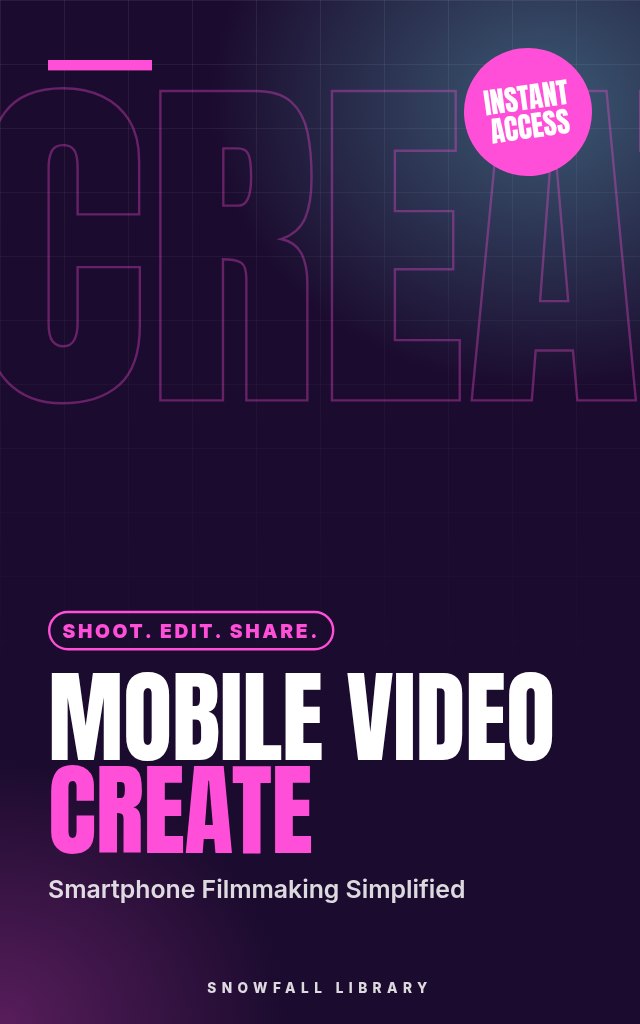
Mobile Video Mastery: From Smartphone to Stunning Content
Turn your smartphone into a video studio and share what matters
About this guide
- Aspiring content creators who want a quick, easy video workflow.
- Small business owners looking to connect with audiences on social media.
- Anyone wanting to explore mobile filmmaking and visual storytelling.
- Social media users eager to elevate their TikToks, Reels and Shorts.
- The ability to plan and capture engaging video footage with your phone.
Product details
| Publisher | Snowfall Library (founded by Max) |
|---|---|
| Format | PDF Guide |
| Length | 20+ pages |
| Language | English |
| Delivery | Instant download after payment |
| Reads on | Phone, tablet, Kindle app or computer |
| Category | Content Creation |
Better together
Add these to your order and save 35% on each one.
Book description
Struggling to bring your video ideas to life? Feeling overwhelmed by complicated editing software? This guide shows you how to create compelling videos, using just your smartphone.
Who it's for
- Aspiring content creators who want a quick, easy video workflow.
- Small business owners looking to connect with audiences on social media.
- Anyone wanting to explore mobile filmmaking and visual storytelling.
- Social media users eager to elevate their TikToks, Reels and Shorts.
What you'll walk away with
- The ability to plan and capture engaging video footage with your phone.
- Practical editing skills, learn to trim, transition, and polish your videos.
- Techniques to improve your audio and create a more impactful viewing experience.
- An understanding of color grading to establish a consistent visual style.
- Strategies for optimizing and sharing your videos across all major platforms.
What's inside
- Getting Started: Your Mobile Video Toolkit
- The Foundation of Great Video: Planning & Shooting
- Core Editing Skills: The First Cut
- Level Up Your Editing: Transitions & Effects
- Audio Alchemy: Sound Design for Impact
- Color Grading: Crafting a Consistent Visual Style
- Platform Power: Optimizing for TikTok, Reels & Shorts
Look inside
Getting Started: Your Mobile Video Toolkit
Smartphone Filmmaking 101: The Gear You Actually Need
Let’s be honest. You’re here because you want to make videos that look good, but probably don't want to spend a fortune doing it. You’ve likely seen impressive content created with just a phone, and you’re wondering how to achieve similar results without a professional camera crew or a fully-stocked studio. Good news: you absolutely can. This section breaks down the essential, and nice-to-have, accessories to transform your smartphone into a capable video creation tool. We’ll focus on practicality and affordability, giving you concrete options to improve your videos immediately.
Understanding the Smartphone Advantage
Your smartphone is already a remarkably capable video device. Modern phone cameras offer impressive resolution, stabilization, and features. The biggest limitations usually aren’t the camera itself, but shaky footage, poor sound, and less-than-ideal lighting. The accessories we’ll cover address these issues directly. Remember, better gear doesn’t make a good video, it helps you create the video you envision more easily.
The Essentials: Must-Have Accessories
These are the items that will give you the biggest bang for your buck and noticeably improve your video quality.
1. Tripod:
Shaky footage is a quick way to lose viewers. A tripod provides stability, allowing you to create smooth, professional-looking shots. Don’t think you need something huge and expensive. A small, portable tripod designed for smartphones is perfect.
- Cost: $20 - $50
- What to look for: Adjustable height, sturdy legs, a phone mount (usually a spring-loaded clip or screw mount).
- How to use it: Extend the legs to your desired height. Secure your phone in the mount, ensuring it's level. Lock the legs in place for maximum stability.
- Example: The Manfrotto PIXI Mini Tripod is a popular, affordable option. For more stability, consider a Joby Gorillapod, which can wrap around objects.
2. External Microphone:
Smartphone microphones are okay for casual videos, but they struggle in noisy environments or when you're further than a few feet away from the subject. An external microphone dramatically improves audio quality, which is critical for viewer engagement.
- Cost: $30 - $100
- Types:
- Lavalier (Lapel) Microphone: Clips onto clothing, providing clear audio close to the speaker. Great for interviews or talking-head videos.
- Shotgun Microphone: Attaches to your phone or a mount and focuses on sound coming from directly in front of it. Good for capturing sound in a specific direction.
- Connection: Most smartphone microphones connect via the 3.5mm headphone jack (if your phone has one) or wirelessly via Bluetooth.
- Action step: Record a test clip with your phone’s built-in microphone, then record the same clip with an external microphone. Compare the results, the difference will be obvious.
- Example: The Rode SmartLav+ is a reliable lavalier microphone. The Rode VideoMic Me is a compact shotgun microphone designed for smartphones.
3. Lighting:
Good lighting makes a huge difference in video quality. Avoid shooting in direct sunlight (which creates harsh shadows) or in dimly lit rooms. A simple, affordable lighting solution can dramatically improve your videos.
- Cost: $20 - $80
- Options:
- Ring Light: Provides even, flattering light, especially good for close-up shots and interviews. Often includes adjustable brightness and color temperature.
- LED Panel: Versatile and can be used to illuminate a wider area.
- Placement: Position the light source in front of your subject, slightly above eye level. Avoid backlighting (having the light source behind your subject), which will make them appear dark.
- Pro tip: Use a white reflector (a piece of white foam board or even a white sheet) to bounce light and fill in shadows.
The Helpful Additions: Accessories to Consider
These accessories aren't essential to get started, but they can significantly enhance your video production workflow.
1. Phone Gimbal:
While tripods provide stability for static shots, a gimbal allows you to create smooth, cinematic movement while filming. It uses ...
Readers also browse

Start a Business With No Idea and No Money

Sell Handmade Goods and Digital Downloads With Confidence

Land Your First Freelance Clients With Zero Experience

The 90-Day Challenge to Validate, Create & Scale Your First Passive Income Stream